
The word transparent can create very different expectations. A nylon net may recede against open sky yet become more visible against a dark wall, reflected glass, or side lighting. Multiple panels may also appear different if they come from different identified lots, are tensioned differently, or sit against different backgrounds. An approval based on one cropped online image cannot control those conditions.
A useful appearance review pairs a named material sample with actual-site viewpoints. Buyer and reviewer record the sample identity, color, mesh construction, edge components, background, distance, and lighting. The installer then uses those references to identify real variation rather than trying to reproduce a photograph whose exposure and perspective are unknown.
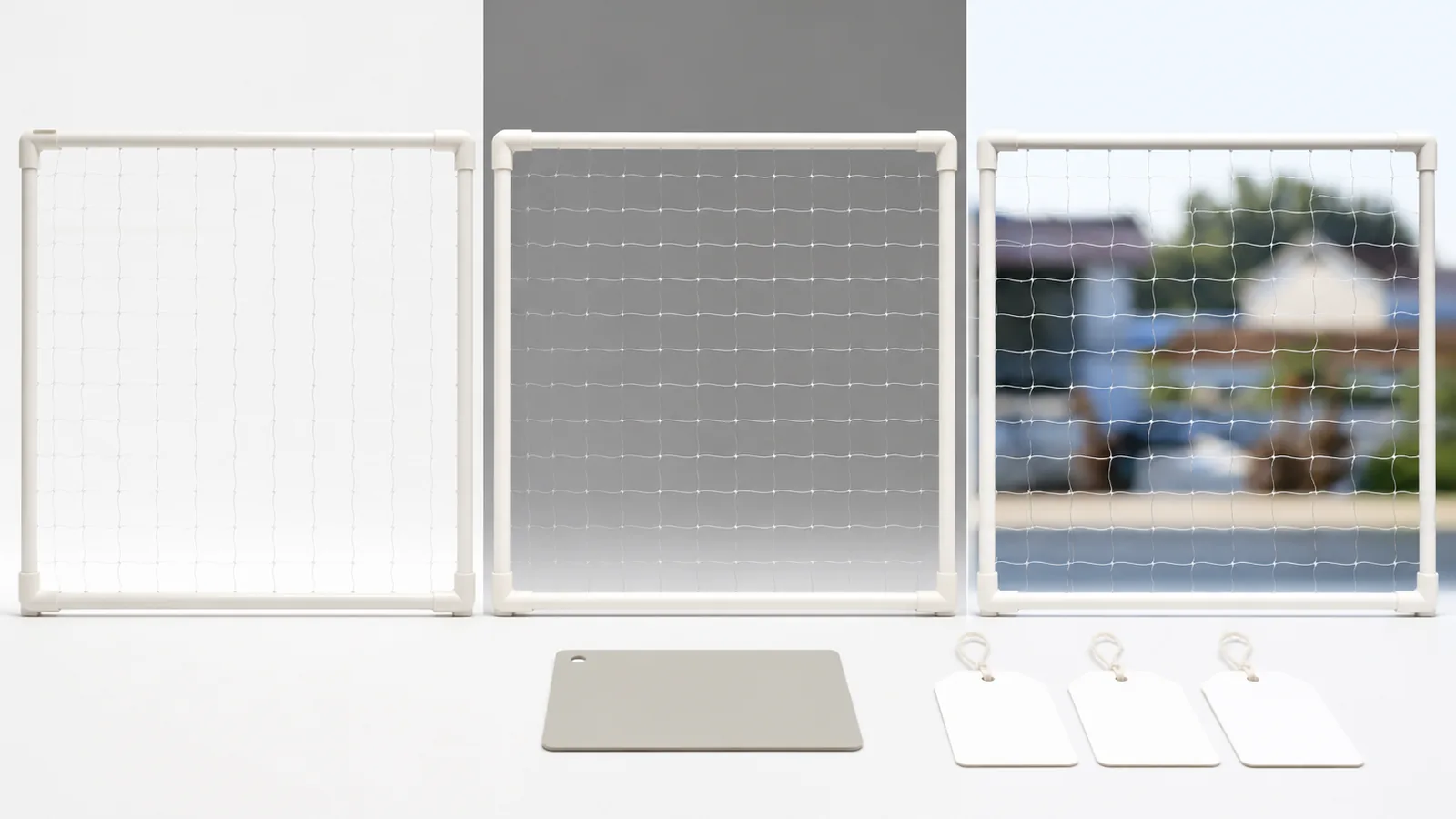
Approve a Named Material Sample
Tie the appearance decision to a physical sample and product identity rather than a screen image alone. The working record for this stage covers product name, material construction, color description, mesh specification from supplier, sample code, sample date, and approving role.
Records for this stage
- product name: source, location, owner, status, and date.
- material construction: source, location, owner, status, and date.
- color description: source, location, owner, status, and date.
- mesh specification from supplier: source, location, owner, status, and date.
- sample code: source, location, owner, status, and date.
- sample date: source, location, owner, status, and date.
Why this stage can fail: Accepting a photograph that has no lot, scale, background, or link to the material to be supplied. Use product name, material construction, and color description to document the exception, and keep mesh specification from supplier with the reviewer's decision.
Release condition: The retained sample and written order refer to the same selected net and color. Record any exception against sample date, name its owner and next action, and keep approving role open until resolved.
Define Representative Viewpoints
Choose the positions and distances from which residents or building reviewers will assess the installed appearance. The working record for this stage covers interior view, balcony approach, external view when permitted, eye level, viewing distance, background, and daytime condition.
Records for this stage
- interior view: source, location, owner, status, and date.
- balcony approach: source, location, owner, status, and date.
- external view when permitted: source, location, owner, status, and date.
- eye level: source, location, owner, status, and date.
- viewing distance: source, location, owner, status, and date.
- background: source, location, owner, status, and date.
Why this stage can fail: Using one close-up angle for a decision that concerns normal room or exterior viewing. Use interior view, balcony approach, and external view when permitted to document the exception, and keep eye level with the reviewer's decision.
Release condition: The approval photographs state where they were taken and what background and light were present. Record any exception against background, name its owner and next action, and keep daytime condition open until resolved.
Include Edge and Joining Components
Review the visual effect of perimeter lines, seams, connectors, and corner details together with the mesh. The working record for this stage covers edge cable or frame, fixing component, seam line, corner return, top edge, lower edge, and component color.
Records for this stage
- edge cable or frame: source, location, owner, status, and date.
- fixing component: source, location, owner, status, and date.
- seam line: source, location, owner, status, and date.
- corner return: source, location, owner, status, and date.
- top edge: source, location, owner, status, and date.
- lower edge: source, location, owner, status, and date.
Why this stage can fail: Approving only the center of the net while the more visible perimeter system remains unspecified. Use edge cable or frame, fixing component, and seam line to document the exception, and keep corner return with the reviewer's decision.
Release condition: The accepted sample set represents both the net field and the components visible in the finished installation. Record any exception against lower edge, name its owner and next action, and keep component color open until resolved.
Control Panel and Delivery Identity
Track panels or rolls where a project expects consistent material selection across several openings. The working record for this stage covers supplier reference, roll or lot identity when supplied, panel code, opening location, delivery date, replacement panel, and retained offcut.
Records for this stage
- supplier reference: source, location, owner, status, and date.
- roll or lot identity when supplied: source, location, owner, status, and date.
- panel code: source, location, owner, status, and date.
- opening location: source, location, owner, status, and date.
- delivery date: source, location, owner, status, and date.
- replacement panel: source, location, owner, status, and date.
Why this stage can fail: Mixing unidentified leftover or replacement material into a prominent multi-panel elevation. Use supplier reference, roll or lot identity when supplied, and panel code to document the exception, and keep opening location with the reviewer's decision.
Release condition: Each installed panel traces to the project material schedule and replacements receive an appearance review. Record any exception against replacement panel, name its owner and next action, and keep retained offcut open until resolved.
Judge Variation Under Comparable Conditions
Compare suspected differences at similar tension, background, angle, and illumination before reaching a conclusion. The working record for this stage covers panel location, comparison time, camera position, background, installation tension, physical sample, and close and normal-distance view.
Records for this stage
- panel location: source, location, owner, status, and date.
- comparison time: source, location, owner, status, and date.
- camera position: source, location, owner, status, and date.
- background: source, location, owner, status, and date.
- installation tension: source, location, owner, status, and date.
- physical sample: source, location, owner, status, and date.
Why this stage can fail: Treating a shadow, reflection, camera exposure, or loose panel as proof of a different material. Use panel location, comparison time, and camera position to document the exception, and keep background with the reviewer's decision.
Release condition: The comparison controls major viewing variables and any unresolved variation is documented for supplier or installer review. Record any exception against physical sample, name its owner and next action, and keep close and normal-distance view open until resolved.
Appearance Approval Record
Record context beside every accepted image so it remains useful when another panel or replacement is reviewed.
| Review Point | Evidence to Keep | Release Question |
|---|---|---|
| Approve a Named Material Sample | product name, material construction, color description, and mesh specification from supplier | the retained sample and written order refer to the same selected net and color. |
| Define Representative Viewpoints | interior view, balcony approach, external view when permitted, and eye level | the approval photographs state where they were taken and what background and light were present. |
| Include Edge and Joining Components | edge cable or frame, fixing component, seam line, and corner return | the accepted sample set represents both the net field and the components visible in the finished installation. |
| Control Panel and Delivery Identity | supplier reference, roll or lot identity when supplied, panel code, and opening location | each installed panel traces to the project material schedule and replacements receive an appearance review. |
| Judge Variation Under Comparable Conditions | panel location, comparison time, camera position, and background | the comparison controls major viewing variables and any unresolved variation is documented for supplier or installer review. |
Appearance Review Checklist
- Retain a coded physical sample that matches the material written into the order.
- Select normal viewing positions and record distance, background, and daylight condition.
- Review seams, perimeter supports, fixings, and corner details with the central mesh.
- Trace every panel or roll used on a continuous elevation, including replacements.
- Repeat comparisons under similar tension and lighting before classifying a visual difference.
Cat Net Appearance Questions
Can a transparent cat net be guaranteed invisible?
No. Visibility depends on material, mesh, background, light, angle, distance, edges, and installation. A controlled site sample gives a more useful expectation than an absolute description.
Why can two photographs of the same net look different?
Exposure, focus, reflection, background, viewing angle, distance, and tension can all change contrast. Keep the original sample and record photo conditions.
Should a replacement panel be approved again?
If appearance continuity matters, verify the replacement identity and compare it with the retained sample and adjacent installed panels before final acceptance.
Related Product or Reading
- Transparent nylon cat net: provides the real material scope for sample selection
- Black versus transparent cat net: helps buyers frame the broader appearance choice
Build an Appearance Sample Record
Share the selected net identity, physical sample code, panel count, installation faces, edge components, representative viewpoints, backgrounds, lighting notes, and approval responsibility with MaxCatNet. That project evidence lets MaxCatNet review the selected transparent nylon cat net panels for this buyer task: Create an appearance approval method for projects using multiple cat net panels, deliveries, or installation faces.